Leave
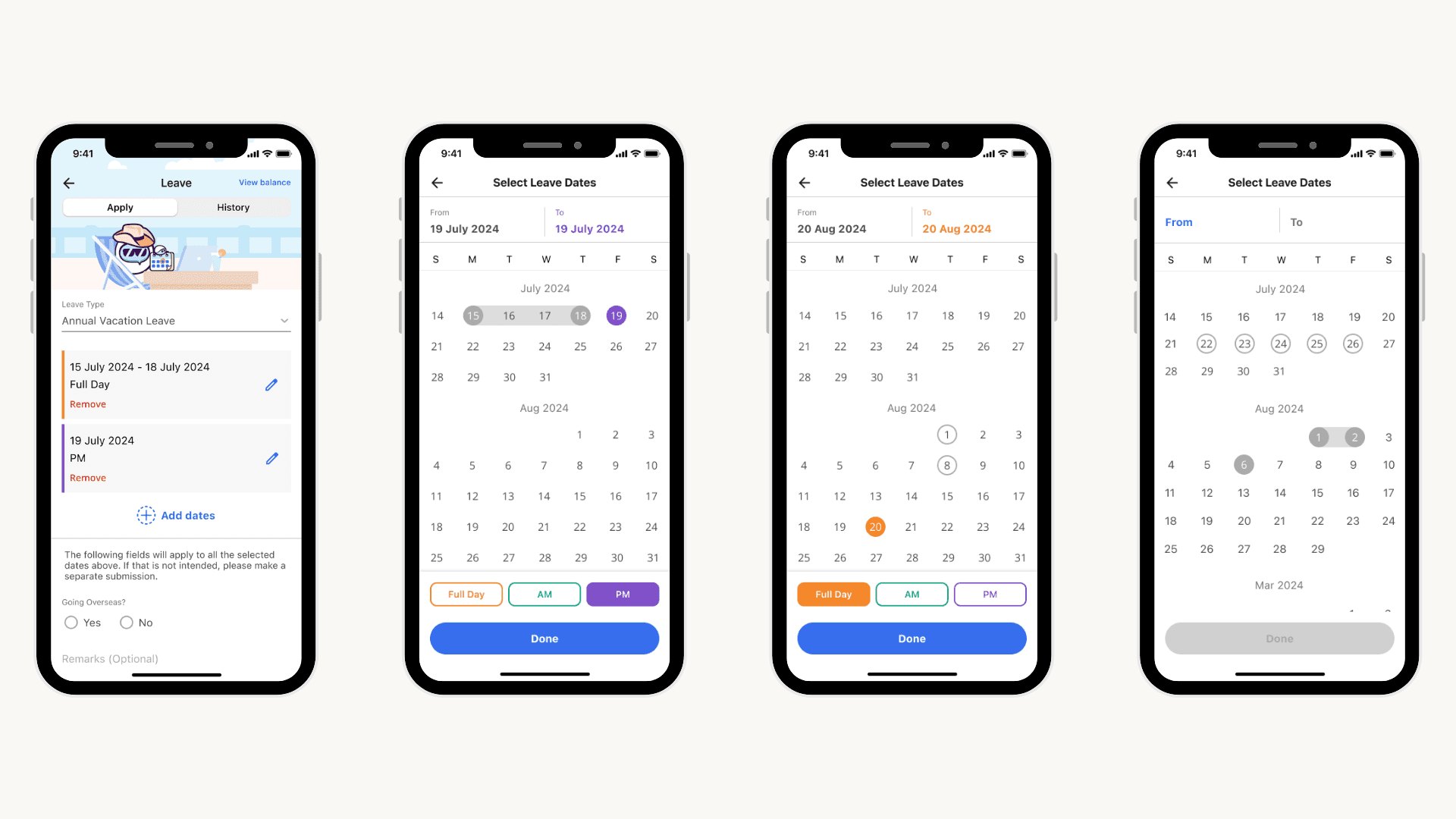
As part of my UI/UX internship with GovTech, I was involved in making changes to the design of the Leave module under the Workpal application.
The goal was to improve the module by resolving existing usability issues and to ensure that the proposed UI is better aligned with existing user behaviour and mental models, alleviating existing pain points.
UI/UX Designer
2024
Figma
Responsibilities
Research
Prototyping
Usability Testing
Background
Leave is one of the many modules in the new Workpal application. Public officers across different statutory boards can now apply for various types of leaves via the Leave module (i.e. vacation, childcare). However, they can still apply for leaves via other methods like the HRP portal. In light of increasing complaints regarding leave applications on Workpal, I was tasked to dig deeper into these issues.
User Interviews
The research and design process for the Leave module involved several key stages. Firstly, my team and I conducted user interviews with civil servants to understand their needs and identify pain points within the existing module.
Findings & Analysis
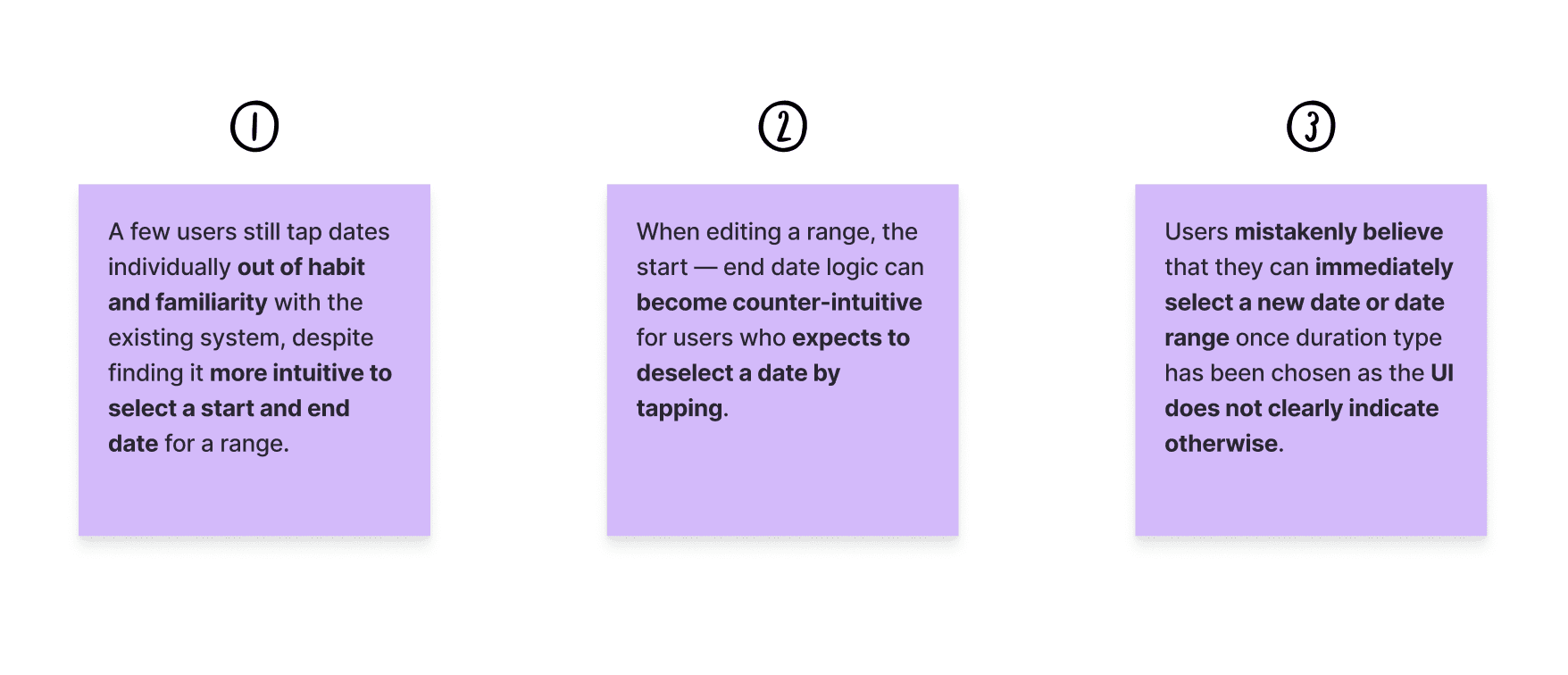
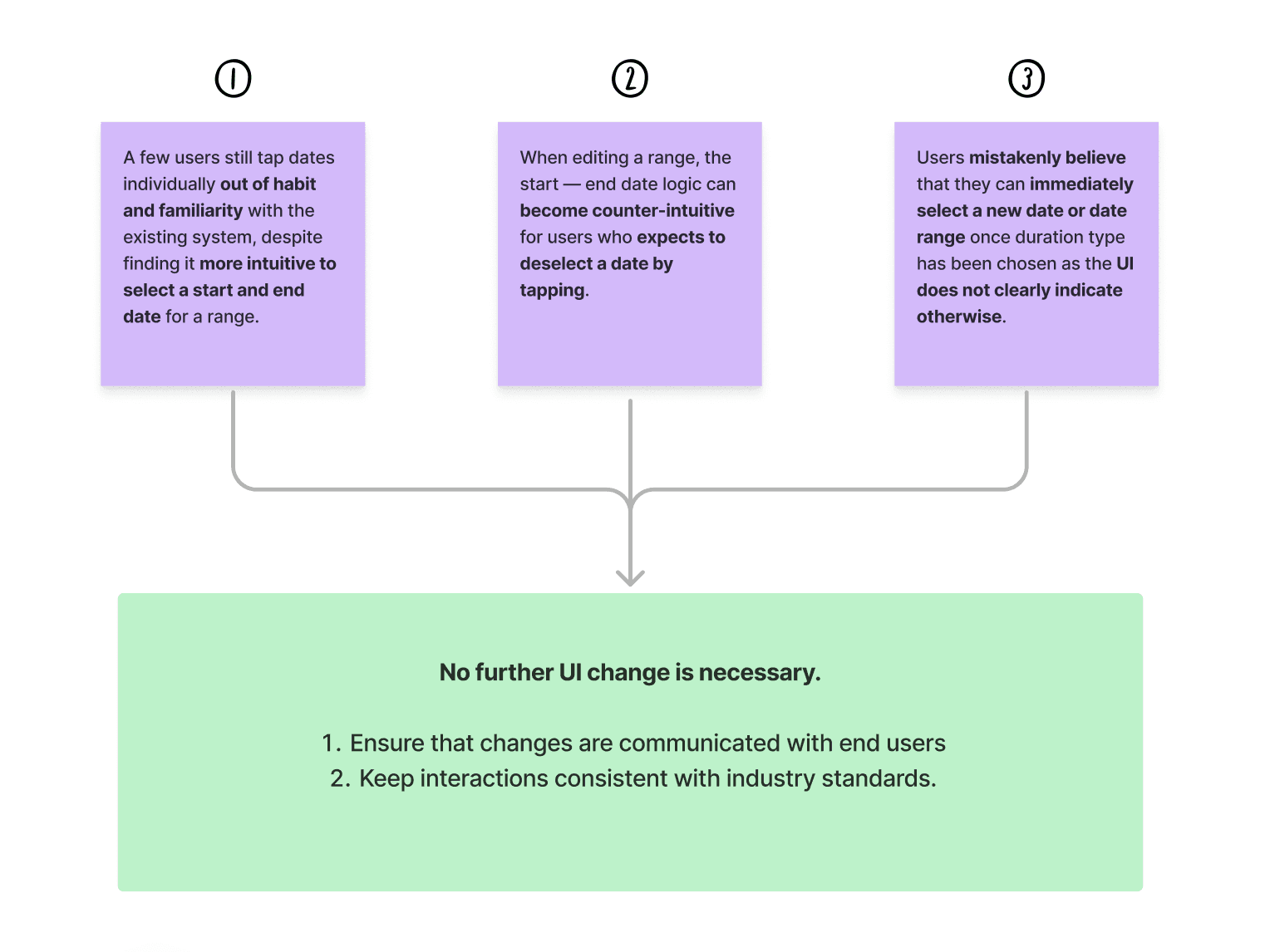
From our user research, we consolidated the main issues public officers encountered while using the Leave module.
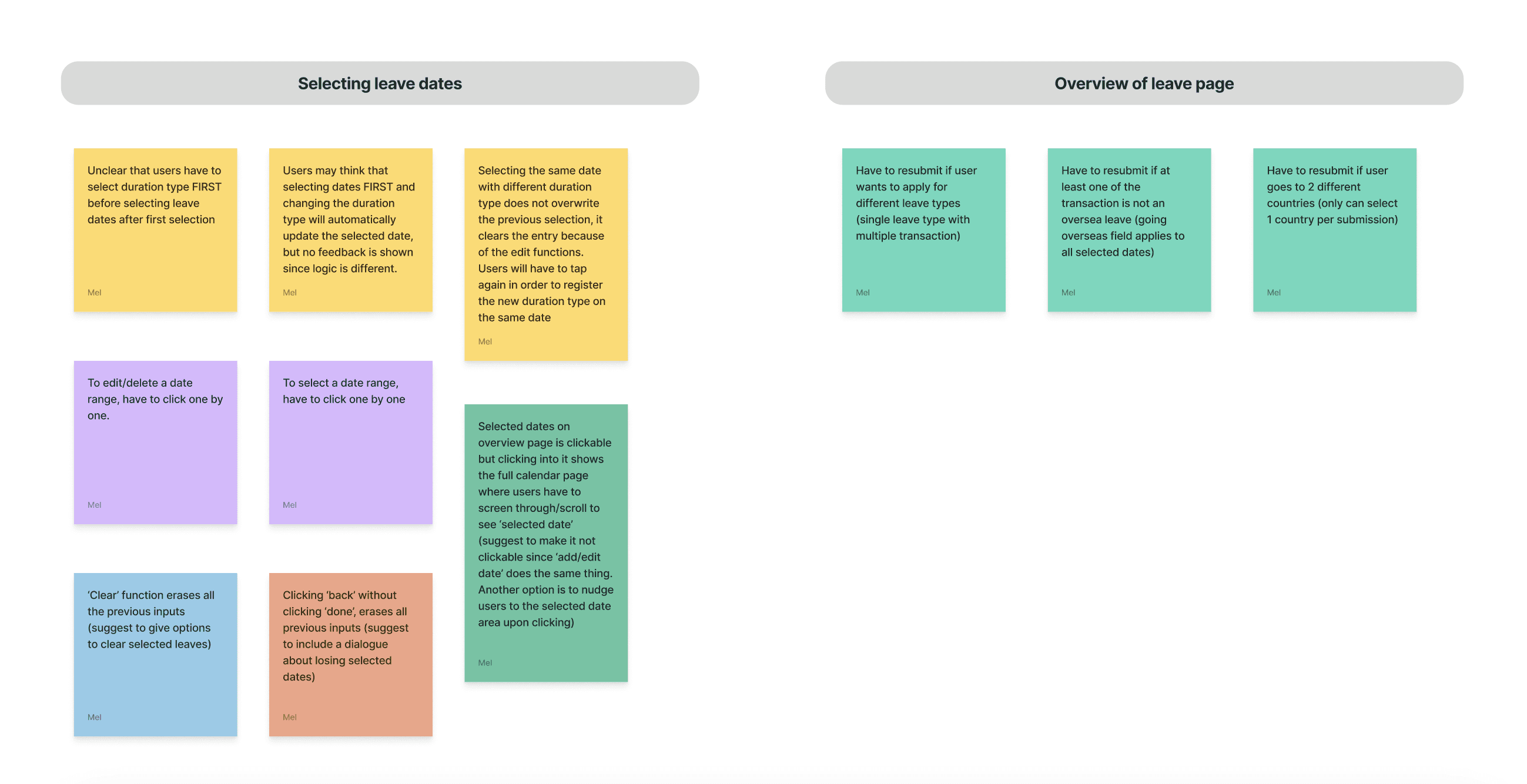
We learnt that these issues arose due to major differences between the user flow for leave applications on Workpal as compared to older portals like HRP which public officers are more familiar with.
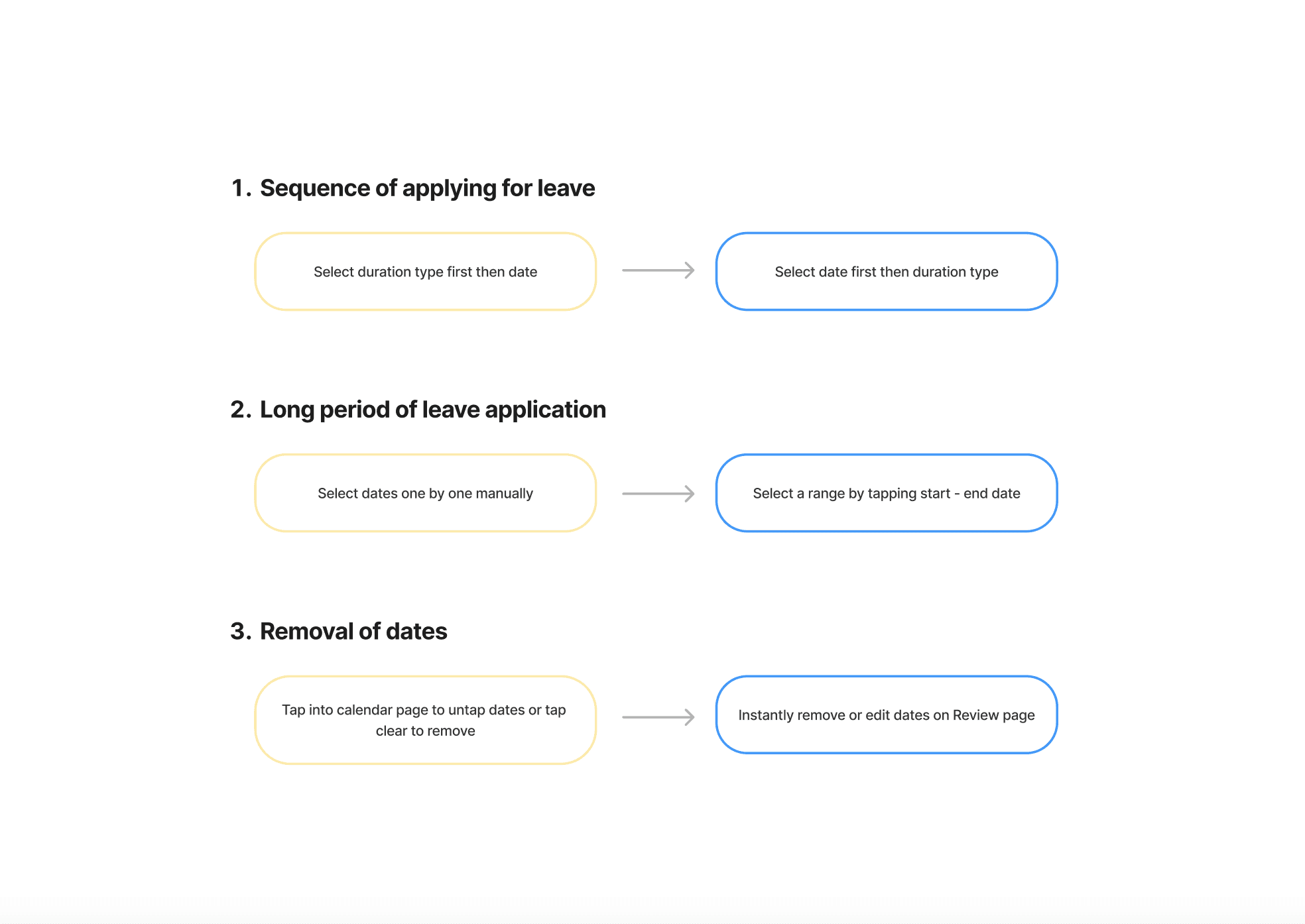
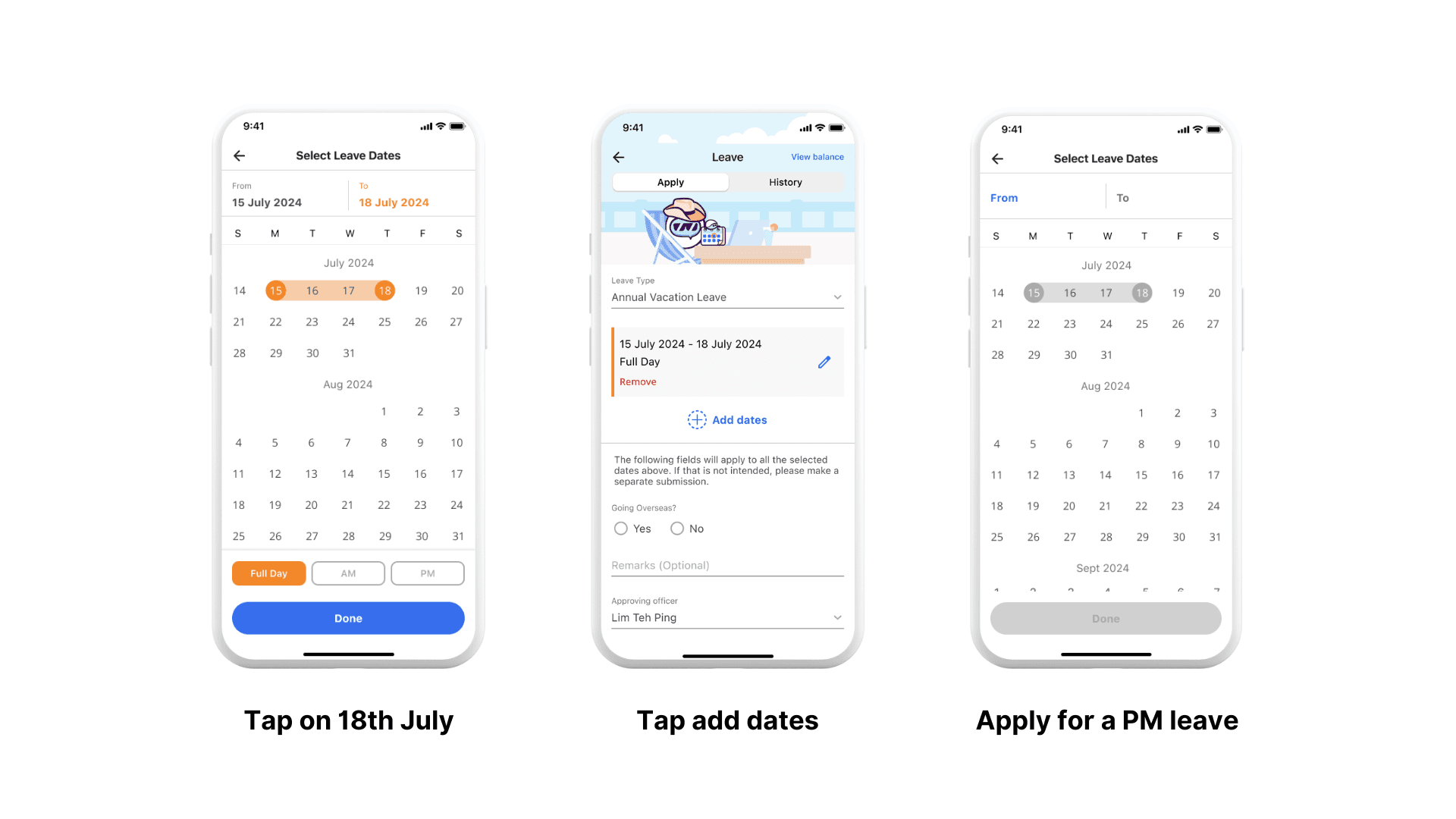
For instance, on HRP, users can apply for long duration range by tapping on a start and end date. However, Workpal only allows for the individual selection of multiple dates.
Feature Roadmap
From the major frustrations expressed during the user interviews, we outlined several key features for the MVP.
High-Fidelity Prototype
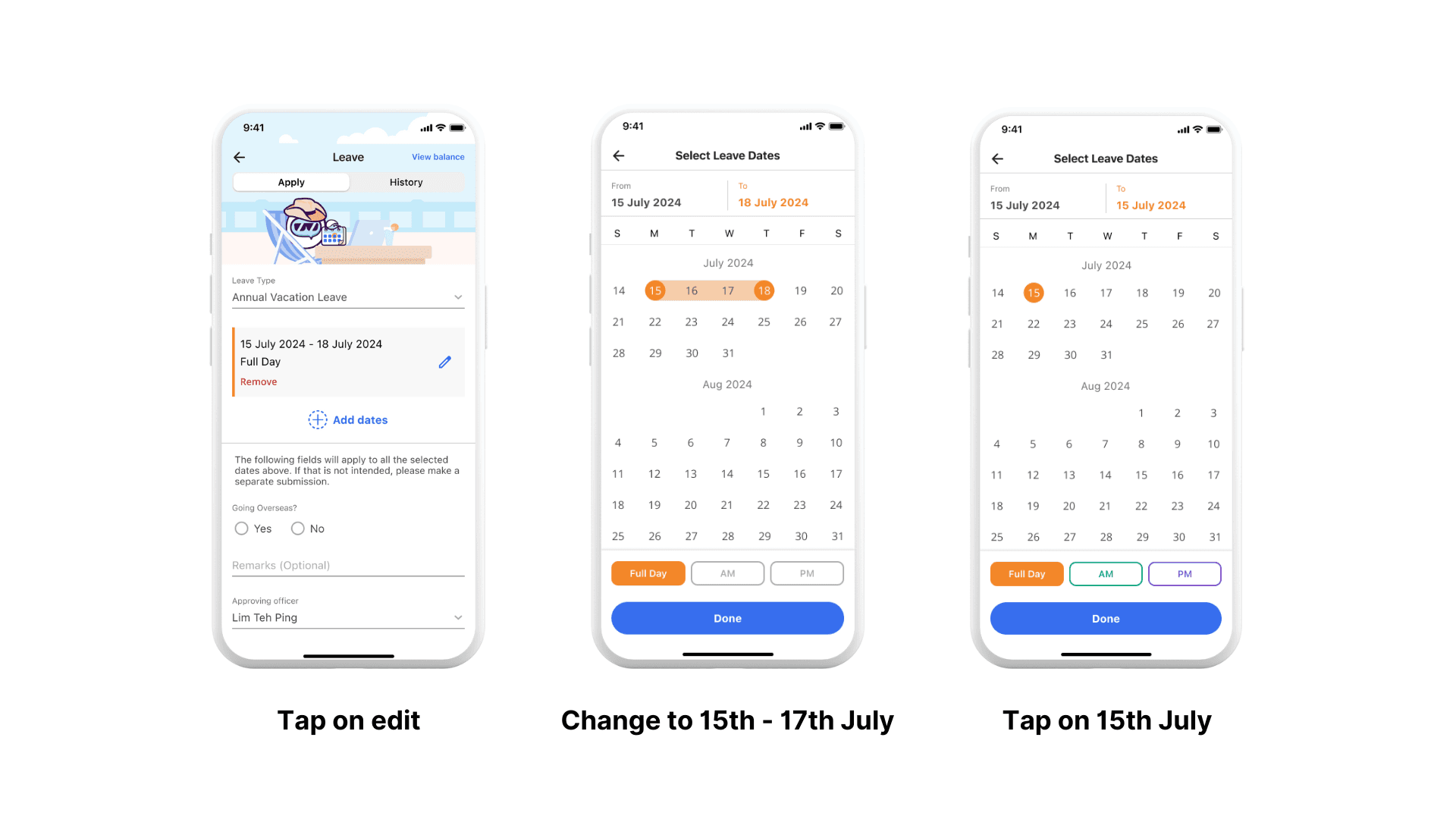
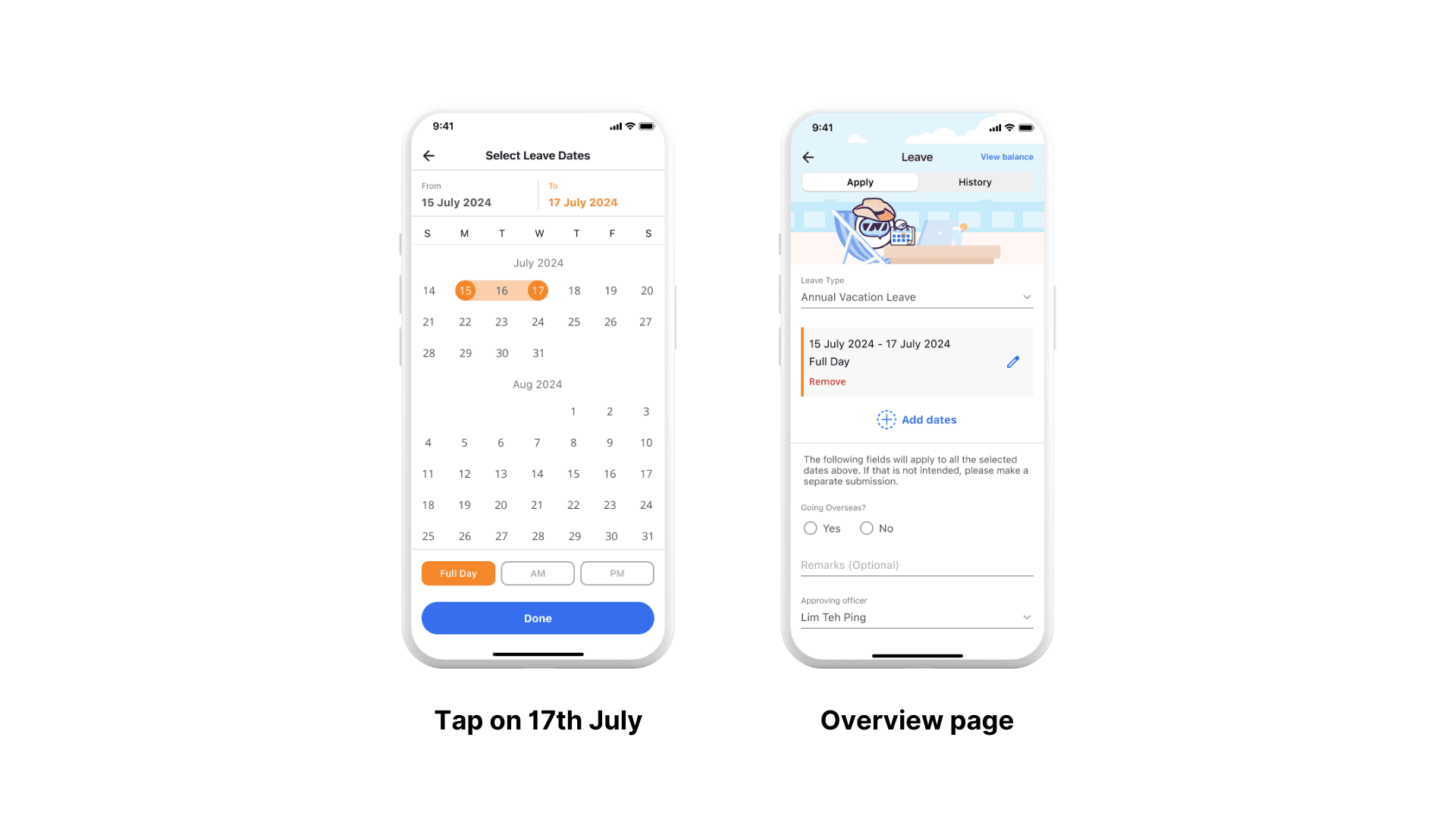
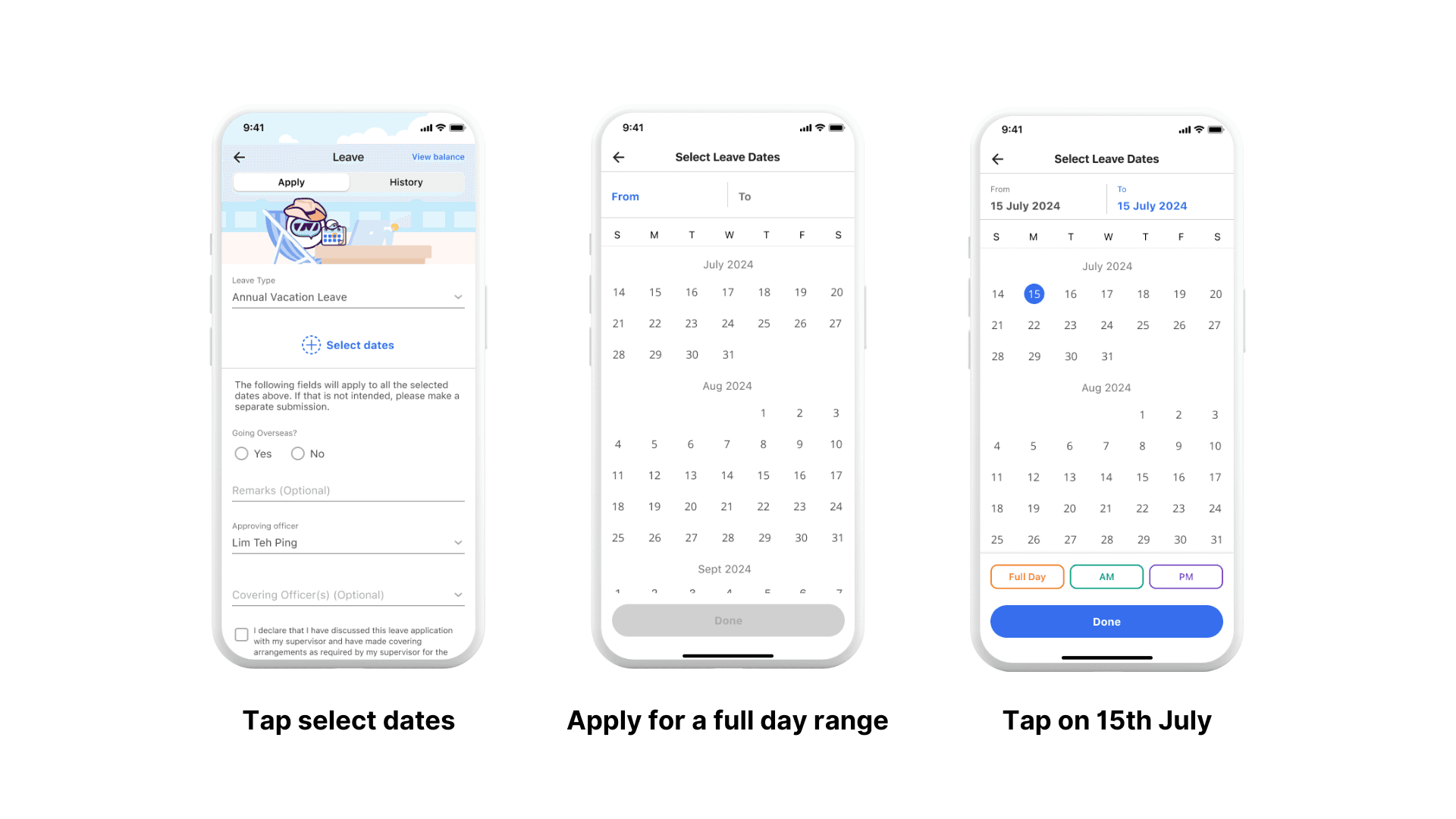
Based on the proposed features, we prototyped the key flows.
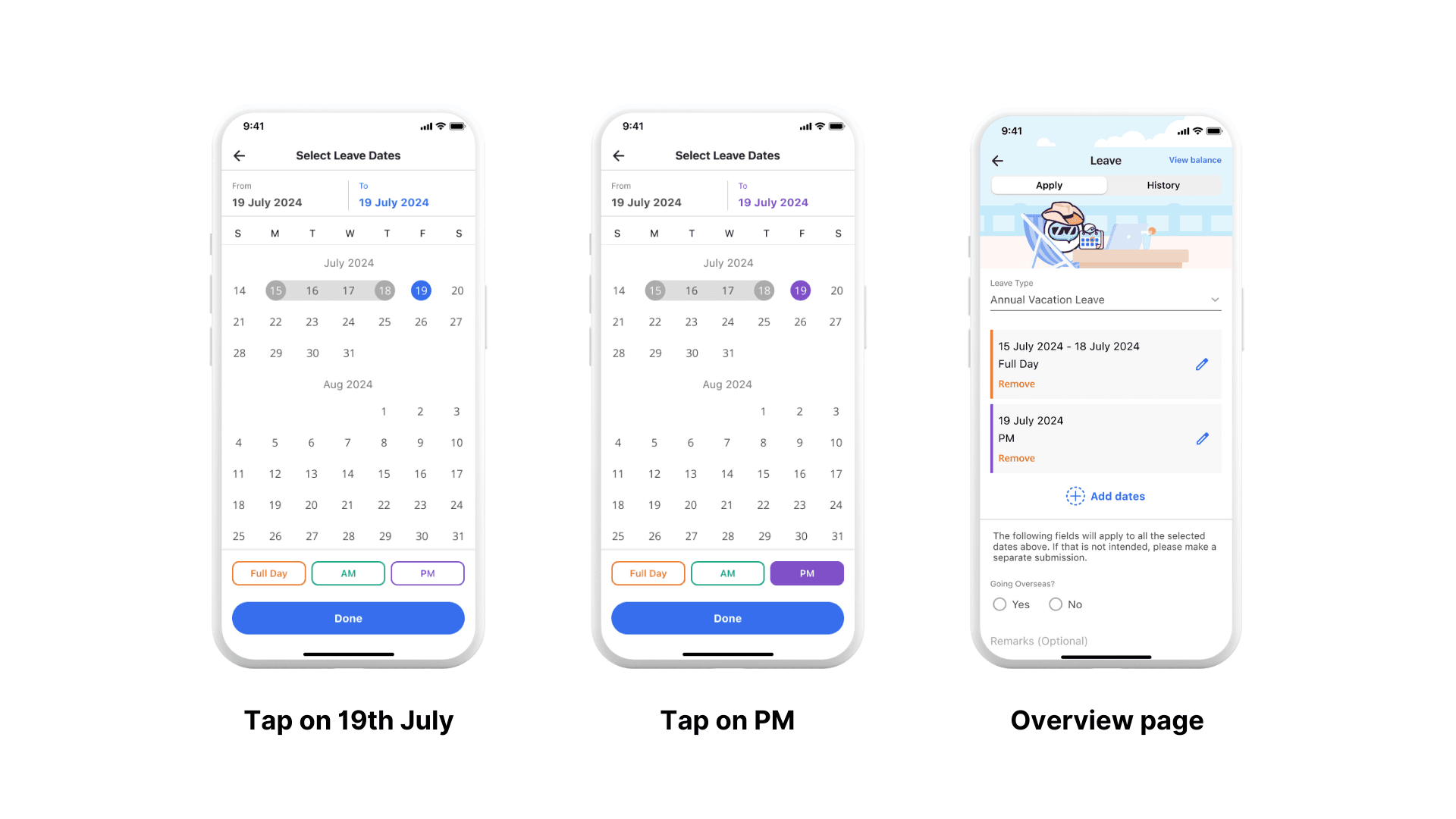
Apply for leave on multiple dates with multiple duration types
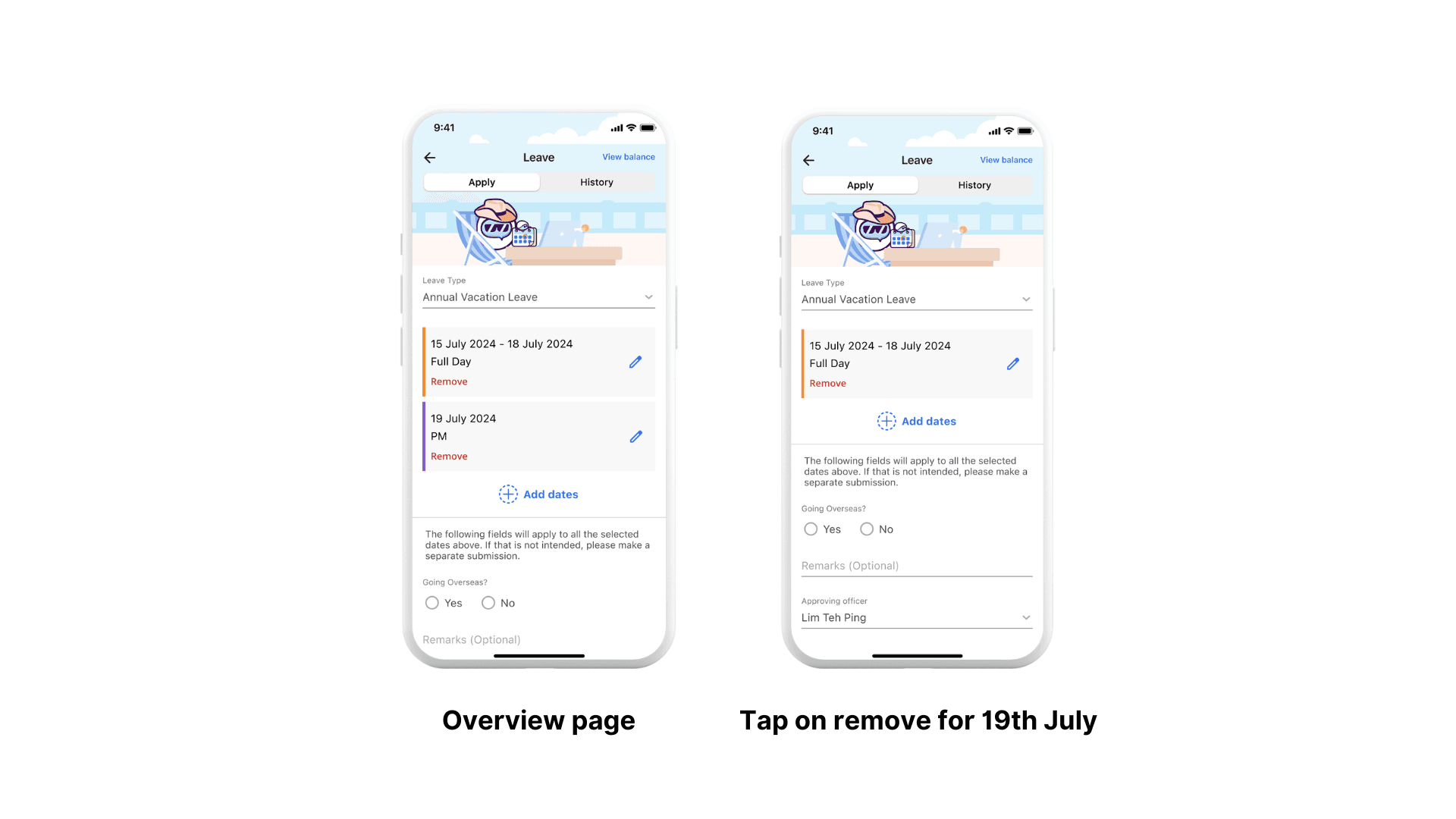
Remove leave from same application
Edit leave from same application